

Team: scheduling and huddles
The Team section covers the people side of the day: who's working, and how the shift handoff actually gets communicated — with a recorded huddle that becomes a brief everyone acknowledges, not a message that evaporates at the pass.
Scheduling
Team → Schedule is a week grid per site:
- Positions — define the jobs (cook, server, utility…) with a color and optional rate; shifts hang off positions.
- Shifts — create per site, date, position, and time (overnight shifts supported). Build the week as a draft, then Publish week to make it visible to staff. Copy last week repeats a stable pattern in one click.
- Open shifts — leave a shift unassigned and staff can Claim it.
- Availability — each person maintains their own availability windows, shown as you assign.
- Time off — staff request, managers approve or decline.
- Swaps — a scheduled person can Offer drop; a colleague claims it; a manager approves. Nothing moves without the approval.
Scheduled labor hours also feed the reporting layer, so coverage can be compared against covers served over time.
Huddles
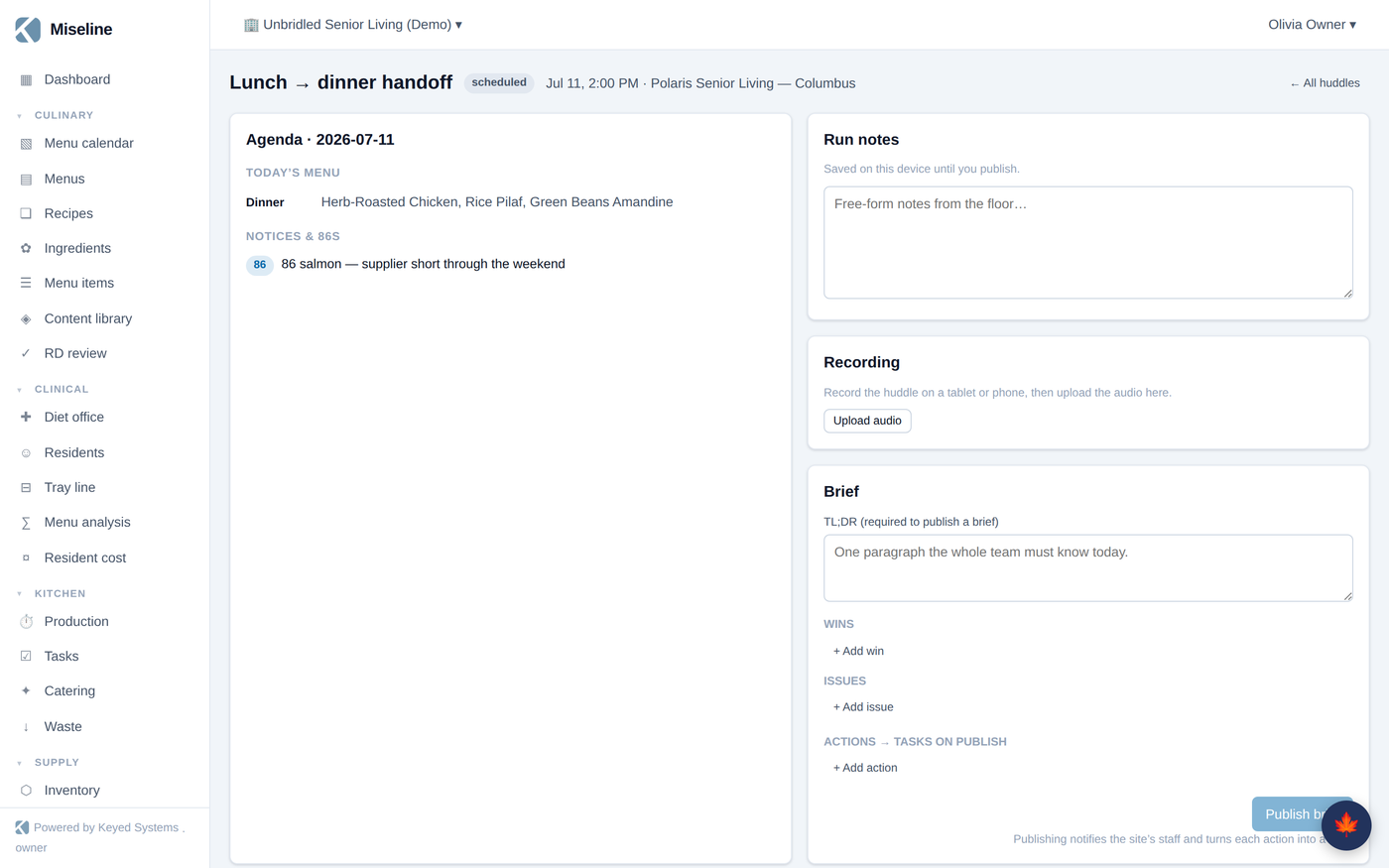
Team → Huddles runs the pre-shift meeting. Schedule a huddle and the agenda builds itself for that day: the menu by day part, the production list, open tasks, active notices and 86s, open alerts, and diet warnings — the things a lead would otherwise assemble by walking the building.
Run the huddle from a tablet or phone:
- Record the conversation (or skip recording — manual notes are first-class).
- The recording is transcribed, and ✨ Summarize with AI turns the transcript into a structured brief: TL;DR, wins, issues, and extracted action items. Edit everything before it goes out; if AI isn't configured, write the brief by hand in the same fields.
- Action items become real tasks on publish, assigned and due like any other.
- Publish brief — the brief goes to the team, appears on the wallboard, and staff acknowledge it. Whoever missed the huddle sees it at next sign-in, and you can see exactly who hasn't acknowledged yet.
Notices and the 86 board
Notices — announcements, 86s, allergen alerts, recall notices — are managed alongside huddles and appear on wallboards and in the staff app until they expire or are cleared. Recall notices can bind to specific inventory lots, instantly listing the affected sites and stock. Acknowledgment is tracked, so "nobody told me" stops being a thing.
Dining engagement
Team → Dining engagement is the diner-facing pulse for programs using the diner app: enrolled diners, meal selections and tallies, satisfaction trends, and diner feedback waiting for moderation. It's covered in depth in Growth, loyalty & diner engagement.
Tips
- Publish weeks rather than editing live — staff see one clean schedule, and claims/swaps handle churn.
- Record huddles even when the AI summary isn't in use — the attached recording settles "what was said" disputes on its own.
- Watch the acknowledgment list for a day or two after adopting huddles; it tells you exactly who isn't in the loop yet.