

Compliance and survey readiness
The Compliance section keeps you inspection-ready as a way of operating, not a scramble: adopt the frameworks that govern your operation, let the platform grade what it can see automatically, run your own audits mapped to the same controls, and read one honest per-site verdict.
Frameworks and controls
Compliance → Frameworks offers built-in framework packs — FDA Food Code (with state variants where regulations differ), HACCP, CMS long-term-care dining, OSHA kitchen safety, hospital food services, Joint Commission food and dietetic services, campus dining, and dietitian practice standards. Packs are matched to your vertical; adopting one lists its controls, each with a real regulatory citation.
Every control tracks a status — satisfied, partial, gap, or not applicable — and many grade themselves from live signals: sensor monitoring coverage, RD signoffs, routine completion, staff certifications, document currency, emergency-menu readiness, and more. Re-evaluate any time; where you know better than the signal, a manual override wins until the next evaluation you run.
The Standards Library
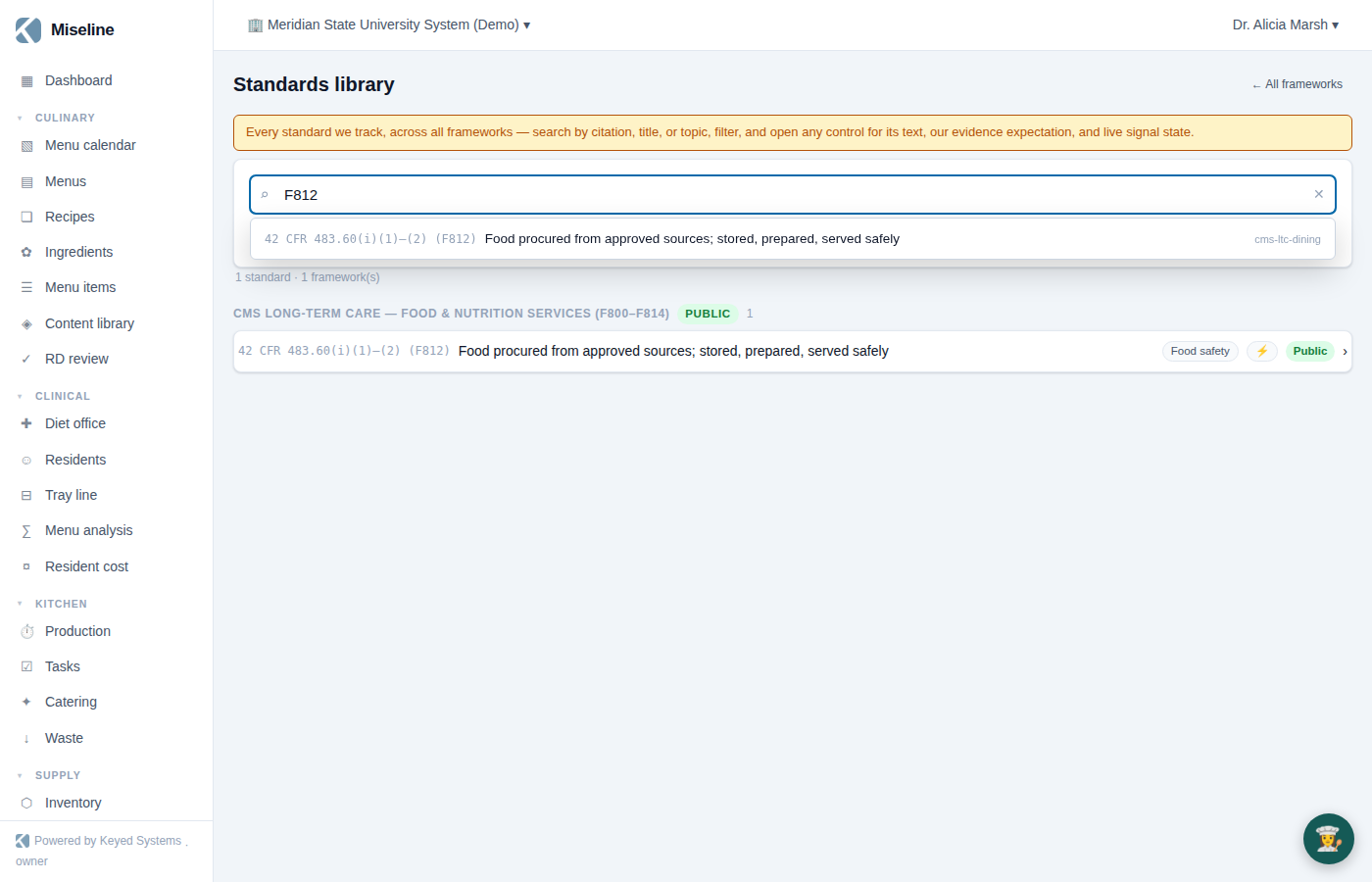
The Standards Library button on the Frameworks page opens one searchable view of every standard the platform tracks, across all framework packs — adopted or not.
- Search as you type, with a keyboard-navigable autocomplete. Search matches titles, topics, and citation fragments — "F812", "482.28", "hood", "handwashing" all work.
- Filter by framework (multi-select), by license (Public or Proprietary), to adopted frameworks only, or to controls with a live signal. Results group by framework, each with its license badge.
- Open any standard in a drawer showing the framework, citation, issuing authority, and edition. What you see of the standard's own language depends on licensing: publicly available text is quoted exactly, with edition attribution; some standards carry a "Summary (unofficial)" paraphrase instead; and where the materials aren't licensed for display, the drawer says so plainly and gives you a support contact. In every case you get our own evidence expectation — what a surveyor would want to see — because that's ours to write.
- The drawer also shows the control's live-signal state, and — when the framework is adopted — your organization's status, recent evidence with the 90-day pass rate, and linked policies. You can jump to the framework or generate a mock survey for it right from the drawer.
Audits and inspections
The audit engine is a full inspection platform:
- Templates (Compliance → Templates) — build scored checklists with sections, weights, photo requirements, and conditional logic. Template items can be mapped to controls, so a failed line item automatically becomes control evidence and stamps the corrective action with the control and citation.
- Mock surveys — generate a draft audit template straight from a framework pack: one section per control category, items pre-mapped, evidence expectations as help text.
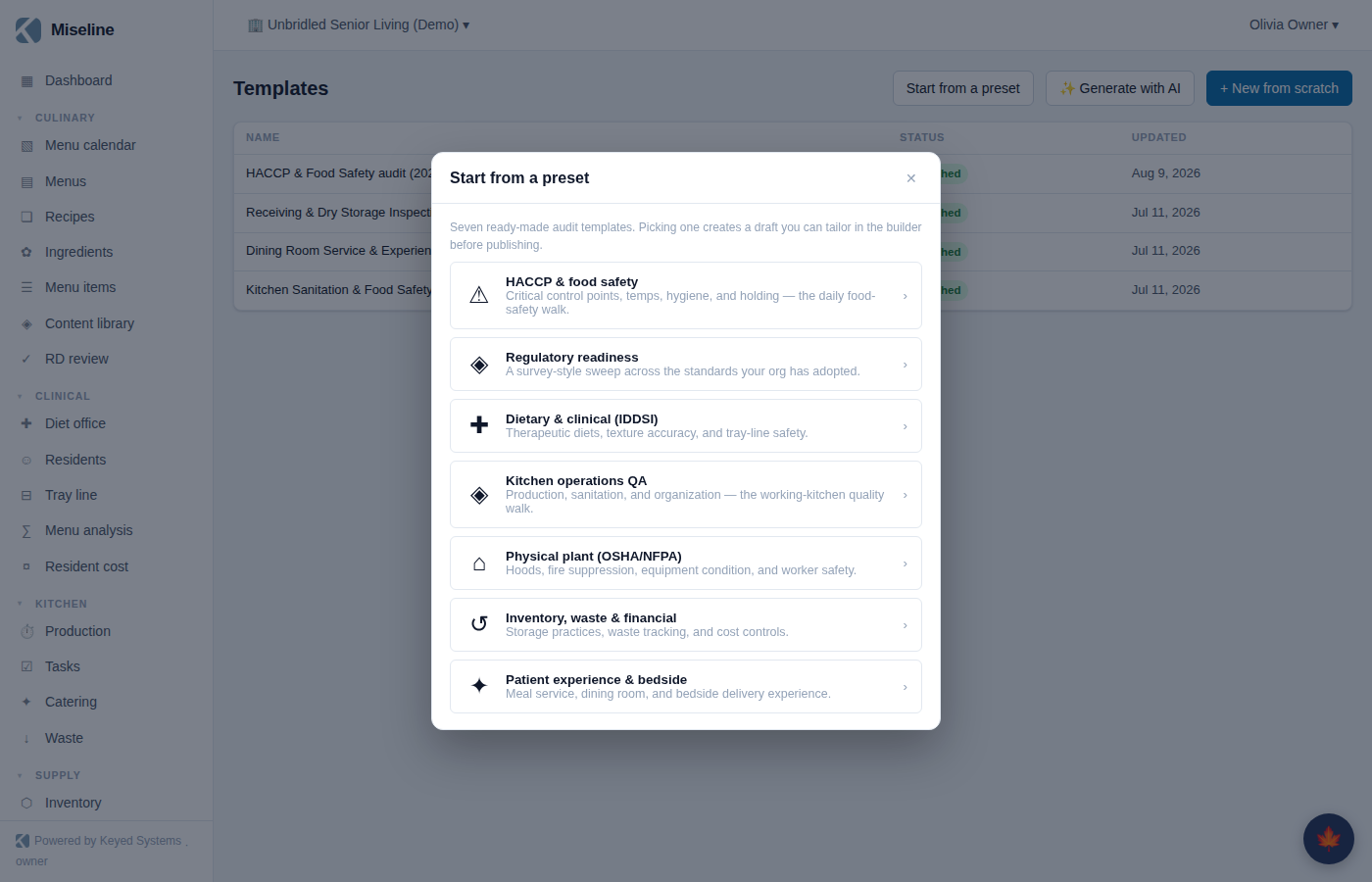
- Audit presets — the Start from a preset button on Templates offers seven curated audits that cut across frameworks, each a survey-relevant selection of controls grouped by framework: HACCP and food safety, regulatory readiness, dietary and clinical (IDDSI), kitchen operations QA, physical plant (OSHA/NFPA), inventory, waste and financial controls, and patient and resident experience. Picking one drops you into a draft in the template builder — edit and publish like any template.
- Inspections — conduct on web or the staff app (offline-capable), with scoring, photos, and generated corrective actions tracked to resolution on their own board.
- What to look for — any inspection item mapped to controls carries a ✦ field-guidance panel in the runner: our written evidence expectations for each mapped control, plus the observable conditions worth checking, with an optional AI briefing on top. Inspectors get the "what would a surveyor look at here?" answer without leaving the item.
- Observation capture — the runner can also capture free-standing field observations pinned to the run; one capture becomes evidence across every mapped framework. See Observation capture.
- Audit schedule — recurring audits materialize automatically; missed ones raise flags.
- Engagements and walkthroughs — multi-audit programs and remote video walkthroughs for operators and consultants running structured assessments across sites.
- Share reports — any inspection can mint a sanitized public report link for an owner, a client, or a surveyor.
Policies
Compliance → Policies manages the policy library: instantiate from built-in templates (food safety, allergen management, and more — cross-linked to the controls they support), or write your own. Policies are versioned — publish, revise, retire — and staff read and acknowledge each published version from the web or staff app. Republishing resets acknowledgments, so "everyone has read the current version" stays true. Review-cadence nudges keep documents from quietly going stale.
Records
Compliance → Records holds the paper that surveys ask for:
- Staff certifications — food handler cards, CFPM, and the rest, per person with expiry tracking.
- Documents — permits, licenses, SDS sheets, service records, with AI-assisted extraction of dates and details from uploads.
- Emergency menu readiness — designate the emergency menu and check on-hand stock against it (the CMS three-day-supply check).
Requirements and the readiness verdict
Requirements state what each site must hold: a certified food-protection manager per site, food-handler cards within so-many days of hire, a hood-cleaning cadence, a current permit. The platform does the gap math continuously — met, at risk (expiring or due within 30 days), or gap.
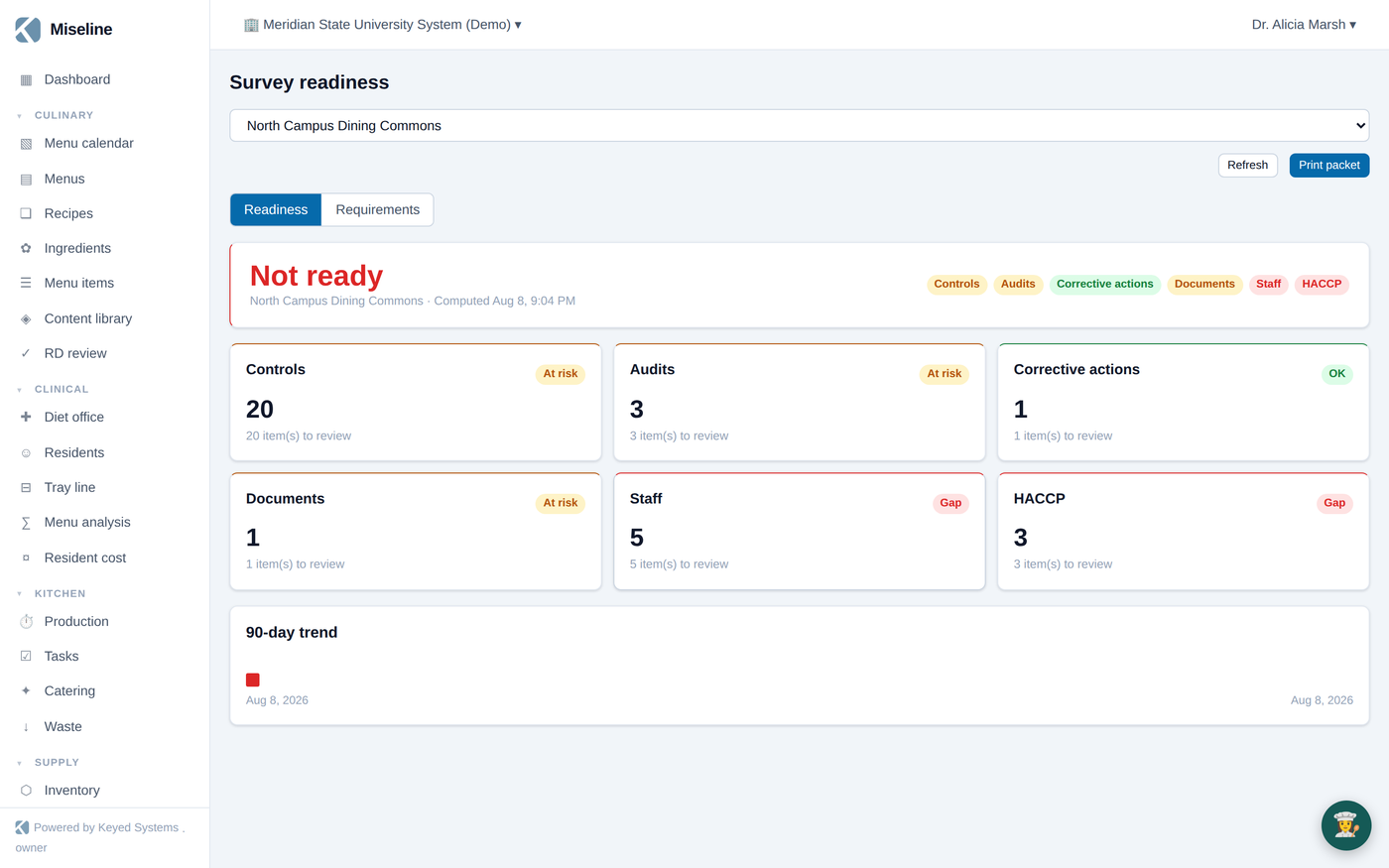
Compliance → Survey readiness rolls everything into one per-site verdict — ready / needs attention / not ready — across six sections: controls, audits, actions, documents, staff, and HACCP. Daily snapshots build the history, a worsening verdict notifies you, and the whole thing prints as a survey-day packet.
Tips
- Adopt the state variant alongside the base pack, not instead of it — variants carry only the differences.
- Reaching for a new audit? Start from a preset before building from scratch — the seven presets cover the common survey walks with controls already mapped.
- Map your audit template items to controls — that single step is what turns routine audits into a continuously-evidenced compliance posture.
- Watch "at risk" weekly; it's the 30-day early-warning lane that keeps renewals off the gap list.