
Scheduling, huddles & the work itself
The people layer: who's on, what they heard at the huddle, and what needs doing — with the shift brief that absent staff actually see, and tasks that carry their own evidence.
What it does
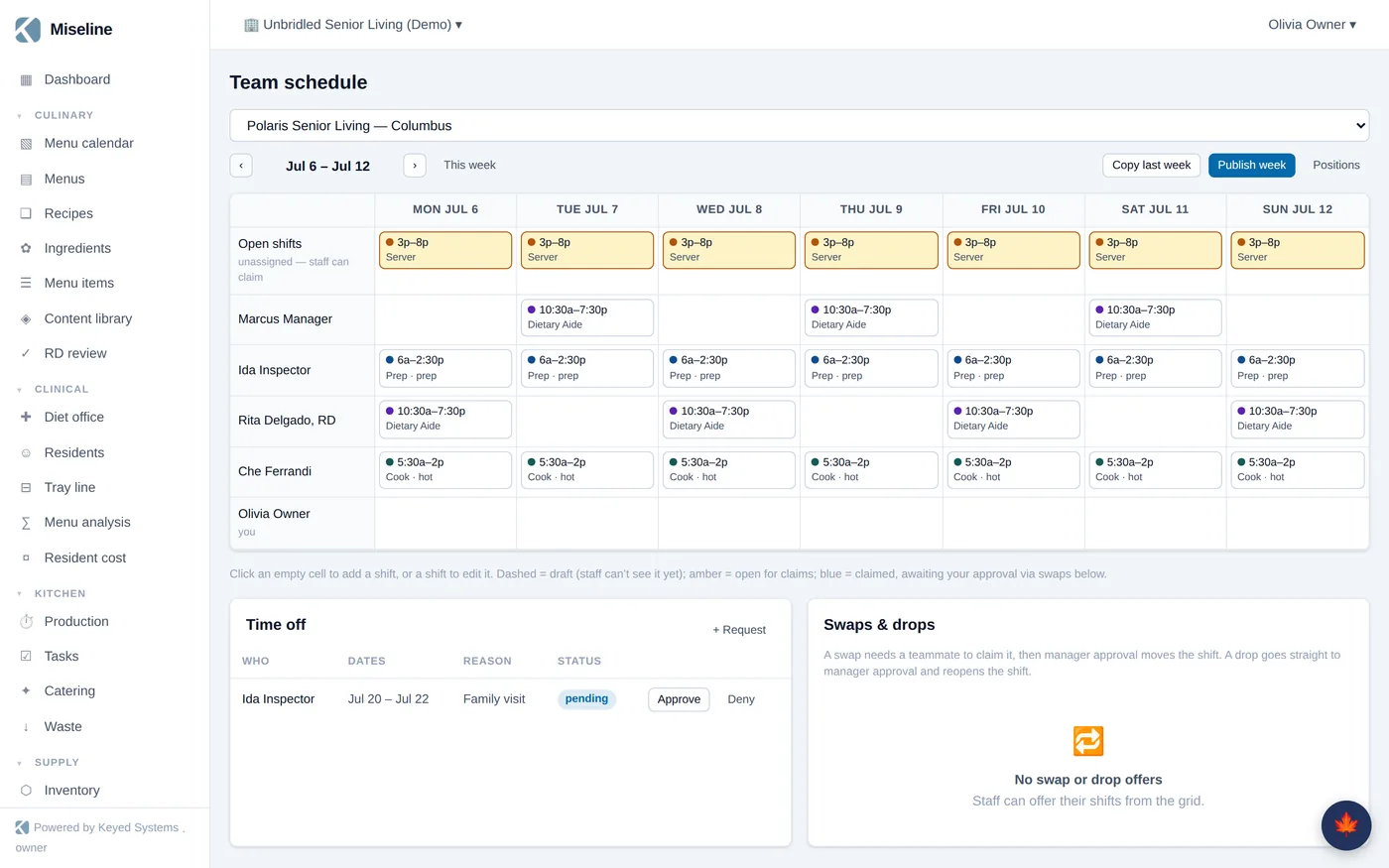
Scheduling
Positions and shifts on a week grid with copy-week, draft → published flow, availability, time-off requests, shift swaps with approval, and open shifts staff can claim.
Shift huddles
Scheduled at shift overlap with an auto-built agenda: yesterday's flags, today's menu and production, 86s, open tasks, and notices.
Record → AI brief
Record the huddle on a tablet or phone; transcription and AI produce the TL;DR, wins, issues, and extracted action items — routed as tasks. Manual notes are first-class when AI isn't configured.
Acknowledgments
Staff acknowledge the brief; absentees see it at next login and on the wallboard. Summaries roll up to the operator's exec view.
Tasks & routines
Recurring cleaning, opening, closing, and service routines materialize into assignable tasks with due windows and completion evidence — scans, photos, temps, notes — plus attached photos and linked how-to guides.
QR scan hub
Scan an equipment tag to log the cleaning, log a temp, report an issue, view the manual, complete the task, or show prep evidence. One gesture, many workflows.
Watch it work
A shift's worth of coordination in ninety seconds.
- Tasks work fully offline in the staff app — the home screen is "my tasks now"
- Audit findings, huddle actions, and sensor alerts all land on the same work board
- SMS escalation for the alerts that can't wait
- English and Spanish throughout, per user and per board
Run a huddle worth listening to.
Unlimited staff accounts on every plan — hourly staff never cost you a license.