

Front of house, POS, and catering
The revenue-facing surfaces: the dining room floor, the meal-plan money loop, a touch register for retail lines, and a catering pipeline that runs from brief to paid invoice on the same recipes and costs as the rest of the kitchen.
The dining room
Front of house → Dining room is the floor:
- Tables grouped by room, each with a capacity; seat assignments are capacity-checked as you place people.
- Reservations with party size and notes, plus guest-meal charges that post straight to the resident's or member's account.
- Tableside orders — servers capture orders per table and diner, and every line is checked against the diner's active diet order as it's entered, with warnings inline. It's the same deterministic rule set as the clinical tray line, so the dining room and the diet office never disagree.
- A kitchen tally aggregates open orders so the line sees demand as it builds — captured orders also set the floor for production planning.
Meal plans and swipes
Front of house → Meal plans runs campus and corporate programs: swipe plans, declining balance, or hybrid. Enroll diners, and the register enforces the rules at the moment of service — swipes per meal, swipes per week (weekly counts reset automatically), and balance floors. Month-end statement export is a click, stamped so you know what's been sent to finance. Guest meals and one-off charges post to the same ledger.
The register (POS)
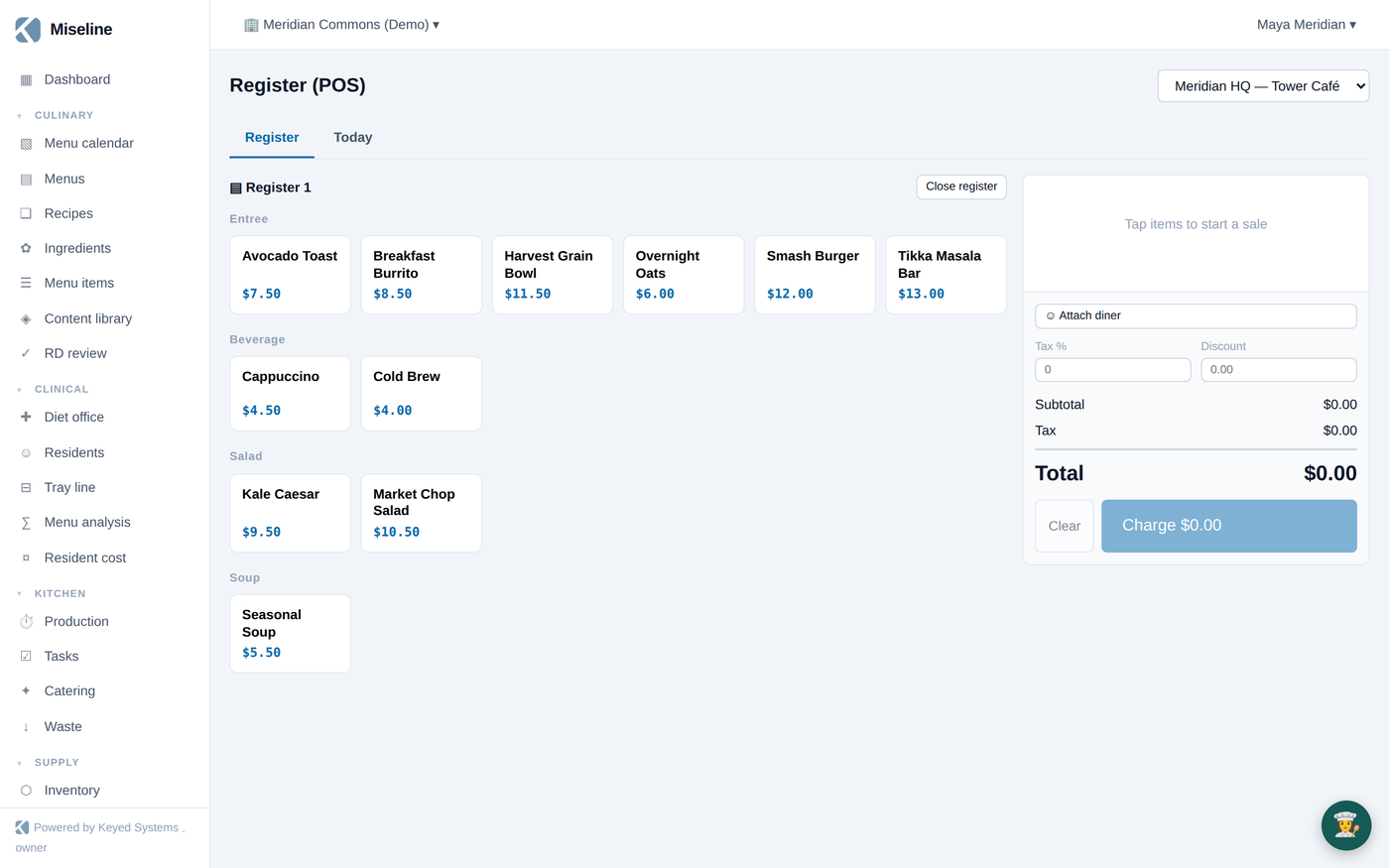
Front of house → Register (POS) is a touch point of sale for cafeteria and retail lines, priced from your menu items (Pro and Enterprise plans):
- Sessions — open the register with a cash float; close it to a reconciliation of counted versus expected cash, over/short included.
- Orders — a category item grid and cart; totals run subtotal → discount → tax → total.
- Tenders — split payments across cash (with change from a keypad), meal plan (validated against balance before anything is written), house account, card, and comp.
- Today — the day's Z-report: sales by method, item mix, gross and net, voids, and the cash reconciliation.
- Printable receipts, and loyalty points awarded automatically when a diner is attached to the sale.
Catering
Kitchen → Catering manages the pipeline end to end (Pro and Enterprise plans):
- Brief → quote — draft a priced quote by hand, or let AI draft it from the client's brief using your real recipe costs. Quotes are versioned; revising supersedes the old version.
- Send → accept — the client-facing quote goes out as a clean public share link (no login needed). Acceptance records the signature and deposit terms — the accepted quote is the contract.
- Logistics — the run sheet holds the timeline, staffing, and equipment pull list; accepted events flow into production like any other demand.
- Invoice — built from the accepted quote with the deposit credited, sent as its own share link, tracked to paid.
- Costing — after the event, record actuals and see margin against quote.
A calendar view shows the booked pipeline; margins feed the reporting layer.
Tips
- Attach diners to register sales where you can — that's what connects purchases to meal plans, house accounts, and loyalty.
- Record the deposit before invoicing — the invoice credits the deposit from the accepted quote.
- Quote from published recipes: unpublished or uncosted recipes quote as unknown cost and are flagged in the draft.