

The review and maturity program
The Review section turns an outside assessment — or your own internal one — into a living program: gather evidence from the people who run and eat from the operation, validate findings, baseline maturity, set goals, and check in until the needle moves. It's built for operators, consultants, and leadership teams running structured program reviews. Available on Pro and Enterprise plans.
The program hub
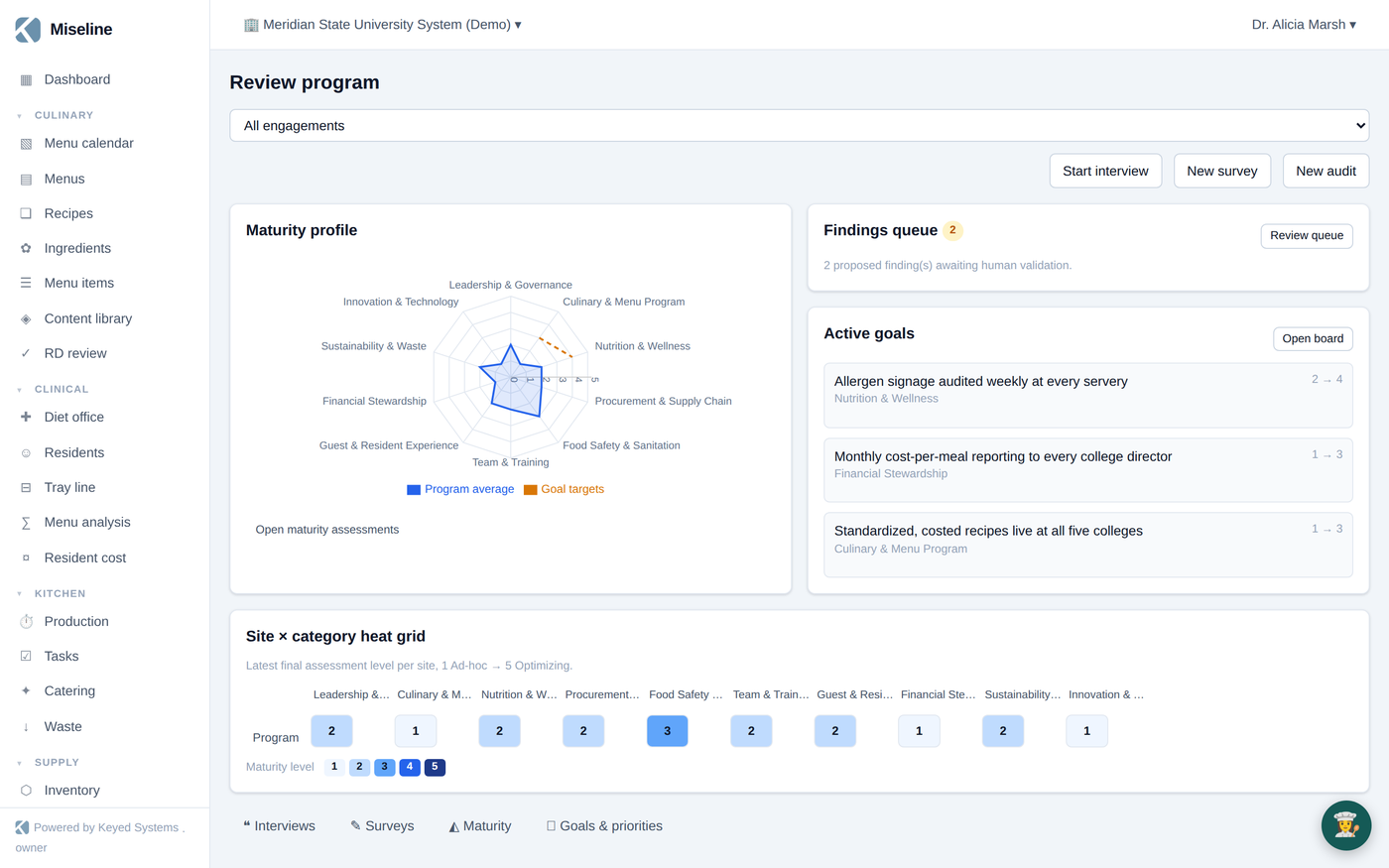
Review → Program hub is the one-glance view: the maturity radar, the findings queue badge, and the goals strip. Everything below feeds it.
Interviews and walkthroughs
Review → Interviews schedules and captures the discovery work:
- One-on-one interviews with staff and stakeholders, with AI-drafted interview guides if you want a starting point.
- Solo walkthrough commentary — narrate what you see as you walk the operation.
- Board sessions and listening sessions — group formats for trustees, resident councils, or town halls.
Record on the web or the staff app (offline-safe); recordings are transcribed — or paste a transcript — and processed into draft findings. Interview and walkthrough sessions can also capture structured field observations in place — see Observation capture.
Field observations
Review → Capture is the reviewer's field notebook: pick an observable condition from the library (or log free text), mark it observed or checked-clear, and the capture fans out into compliance evidence and — when a deficiency was seen — a draft finding in the queue below. The full mechanics live in Observation capture.
The findings queue
AI never files a finding on its own — and neither does an observation capture. Everything lands in Review → Findings queue as a proposal, and a person accepts, edits-and-accepts, or dismisses each one (keyboard-driven — A, E, D — because queues deserve speed). Accepted findings become the evidence stream for the maturity baseline and everything downstream.
The maturity model
Review → Maturity assesses the program across ten foodservice categories on a five-level scale — from ad-hoc to optimizing. AI can suggest ratings from the accepted findings, but the suggestions sit in a separate draft column: humans own the ratings, always. Finalizing an assessment snapshots the baseline; the radar and the site-by-category heat grid show where the program stands and where it's uneven.
Goals and priorities
Review → Goals & priorities turns gaps into commitments: category-linked goals with a baseline level, a target level, a horizon, and an owner, plus an append-only check-in log. AI can propose goals from the latest finalized assessment's gaps — you pick which become real.
Surveys
Review → Surveys runs fact-finding surveys on public links — no accounts, mobile-first, rate-limited:
- Send invites by link, or print a QR poster for the dining room.
- Live board-session mode projects the survey full-screen with a QR code and live, anonymous tallies — ask the room, watch the answers land.
- Survey responses can be AI-digested into proposed findings, which flow into the same human-validation queue as everything else.
Sharing results
Inspection results from the audit engine can be shared as sanitized public report links, print-optimized — useful for closing the loop with the client or board that commissioned the review.
Tips
- Capture more than you think you need — walkthrough commentary is cheap in the moment and gold at synthesis time.
- Keep the findings queue at zero; validation is fast with the keyboard, and an empty queue means the maturity evidence is current.
- Reassess on a cadence (quarterly works) — the value of the model is the trend line, not the first snapshot.